
EverRoom
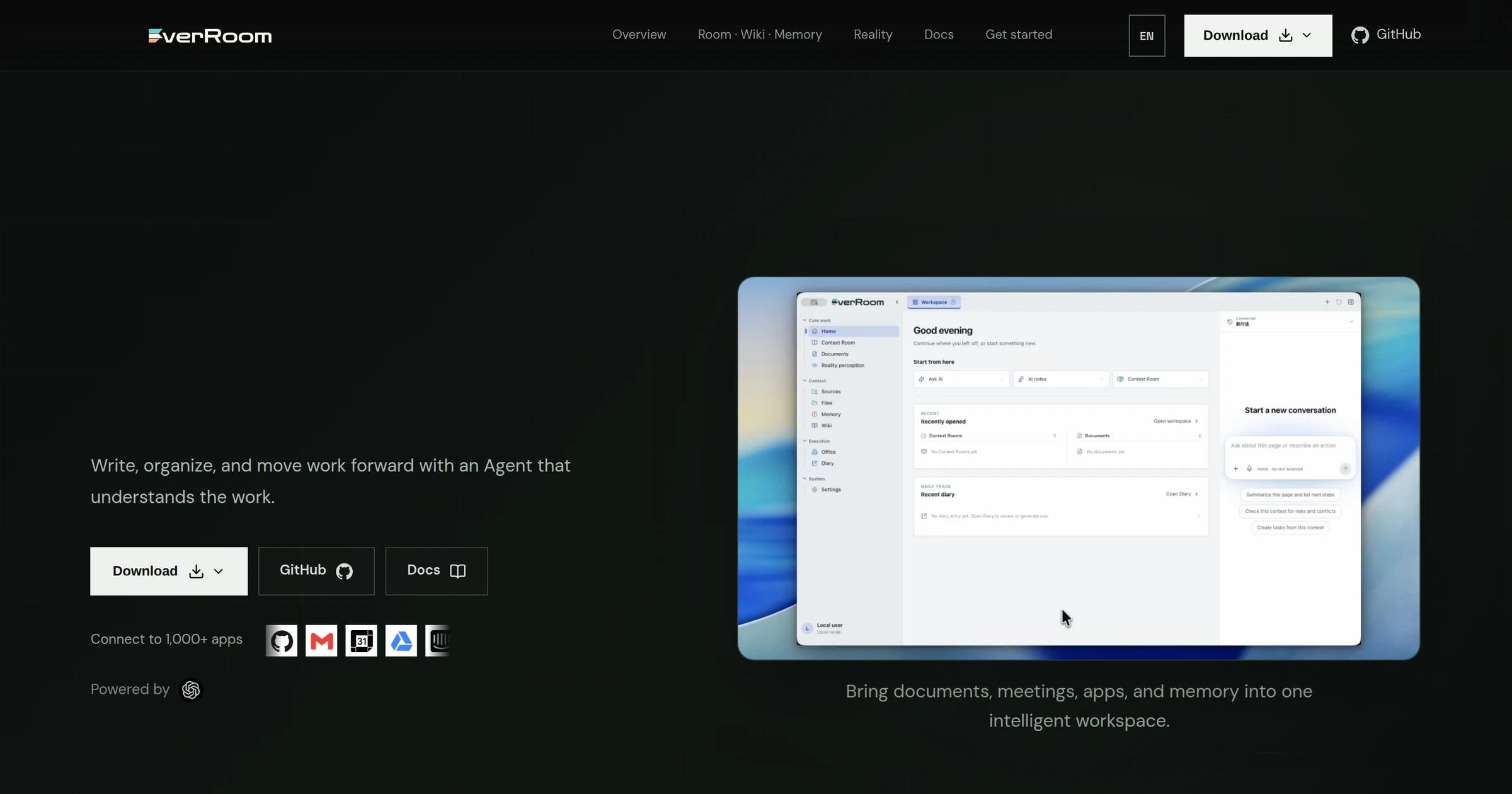
Local-first desktop workspace with scoped Context Rooms and AI agents.
Replaces Mem
Who it's for
A Context Room for a software project can hold the codebase references, meeting notes, design decisions, and task list in one place. When the agent drafts a technical document or answers a question about project history, it draws from that Room's bounded context rather than a broad prompt. The result is output grounded in what the project has actually decided.
If your project has no meaningful documentation, decision history, or multi-session context to build from, EverRoom's Room structure adds more overhead than value. A direct chat agent with file attachments may be faster for one-off tasks.
For analysts, writers, or researchers who regularly return to the same body of knowledge, EverRoom offers a workspace where sources, notes, and decisions accumulate over time and stay tied to evidence. The MemoryCore L0-L3 pipeline captures and structures conversation memory across sessions, so the workspace becomes more accurate as it grows.
If you prefer a fully managed cloud tool that automatically organizes your notes without configuration, Mem or a similar commercial service will have a lower setup cost. EverRoom requires more intentional curation.
All data stays on-device. Files, conversations, agent outputs, and memory records are stored in SQLite on your local machine. No connector integration is required; optional connectors (Slack, Notion, Feishu) are opt-in. This architecture fits regulatory or contractual environments where sending project data to a third-party cloud is prohibited.
If you need real-time collaboration or cross-device sync for a team, EverRoom has no built-in sync mechanism. Each device runs its own independent local workspace.
The problem
AI assistants answer questions in the moment but lose track of what has been decided, which sources were consulted, and what a project's current state is. Each new session starts from scratch. Without grounded context, agents produce plausible but generic output that requires heavy editing or manual correction. Managing that context gap by hand is expensive. Knowledge workers copy summaries into prompts, maintain separate note files, and re-explain the same background every time they need a useful AI output. Cloud-based knowledge tools capture information automatically, but they aggregate everything into one unbounded corpus and hand the AI a noisy context window rather than the specific evidence relevant to the current task. The result is retrieved content that is broad but rarely precise.
How it works
Each project, topic, or ongoing responsibility gets its own Room: a bounded workspace that holds linked sources, wiki pages, tasks, decisions, and memory together. Agents operating inside a Room see only what belongs to it, not an unbounded global corpus. Sources link to the Room with stable identity and version history, so the agent's context stays current and traceable.
Every wiki page and entity in a Room is built from verifiable source material with recorded provenance. Routing checks decide whether incoming content becomes a wiki page, an entity candidate, a memory document, or a source link. That traceability separates the workspace's accumulated knowledge from accumulated guesses.
A Fastify 5 service runs locally on a loopback port, supervised by the Electron main process. All data, including document commits, source objects, and conversation records, lives in SQLite WAL and content-addressed objects under ~/Library/Application Support/NxCore/ on macOS. No data leaves the device without an explicit connector integration.
Agent sessions are persistent, cancellable, and scoped to a Room's tools and documents. Runs stream events back to the workspace so you can follow what the agent is doing and stop it. Subagents can be dispatched by the primary agent for structured subtasks; each has its own skill set and tool restrictions.
Documents are versioned in a Tiptap document model with block-aware operations. When an agent edits a document, those edits go through a transactional commit kernel and are recorded as operations before any downstream fan-out. You can inspect exactly what changed, approve or revert it, and keep the document as the authoritative artifact.
Reality Perception lets you trigger microphone or system-audio capture from within the workspace. Transcription produces reviewable conversation records that link back to their source audio. Captured conversations feed the same ingest pipeline as other source materials, so meeting decisions can flow into a Room's wiki or memory.
Features
- Context Rooms
- Evidence-traced knowledge
- Local Gateway with on-device storage
- Persistent, scoped AI agent sessions
- Context Docs with reviewable agent edits
- Audio capture and conversation records
How to install
Download the macOS DMG or Windows installer from GitHub Releases: https://github.com/NxcoreAI/EverRoom/releases/latest
Recommended for this setup
Strengths
- No cloud sync required: The entire workspace, including source files, documents, conversation records, and agent history, lives on your device. The Electron app supervises a local gateway; optional services run on loopback endpoints. This is a meaningful difference from Mem and similar commercial tools, which require a cloud account and sync data to their servers.
- Bounded context instead of a global dump: Agents in EverRoom receive only the tools and documents scoped to the current Room session, not a full-workspace vector search. That design choice reduces irrelevant context and the hallucinations it produces. The Room profile summarizes goal, status, decisions, and timeline from settled material, giving the agent a compressed and accurate starting point.
- Every source is traceable: The ingest pipeline normalizes each source once, records its provenance, assigns a content hash, and maintains a version history. When a wiki page or memory entry references a fact, you can follow it back to the original file or conversation. That chain makes the workspace auditable in a way that an AI summary alone never is.
- Active project with quick early growth: EverRoom reached 2,986 GitHub stars and 266 forks since launching in August 2026. The main branch contains a full integrated product loop, and the repository shows active development with the last push in November 2026. Only 1 open issue (excluding pull requests) suggests a relatively clean project state for its stage.
Trade-offs
- macOS is the primary development target: The README explicitly states that macOS is the current development focus and that APIs, storage schemas, and agent contracts may change while the first complete local workflow is being finished. Windows support exists via an NSIS installer, but the Windows build is unsigned and Microsoft Defender SmartScreen may show a warning on first launch. Linux is not documented.
- Setup requires a Node.js development environment: The README's Quick Start section walks through cloning the repository and running pnpm install and pnpm dev. Getting started requires Node.js 22 and pnpm 11, which is non-trivial for users not already in a Node.js environment. Pre-built installers may be available on GitHub Releases, but the README's primary documented path is source-based.
- Early development: APIs and schemas may change: The project launched in August 2026 and is under active development. The README notes that APIs, storage schemas, and agent contracts may change. Anyone building integrations or tooling on top of EverRoom should expect breaking changes until a stable release is explicitly marked as such.
- Fair-code license: redistribution has restrictions: EverRoom uses a fair-code license classified from Apache-2.0 terms. Self-hosters can deploy, run, modify, and distribute the software on their own infrastructure for any purpose, including commercial team use. Redistribution requires preserving license notices and marking modified files. No trademark rights are granted beyond describing the work's origin.
Tech stack
FAQ
No. EverRoom is local-first: the Electron app and its local Fastify gateway store everything in SQLite on your machine, under ~/Library/Application Support/NxCore/ on macOS. Optional integrations with services like Slack, Notion, or Gmail are opt-in connectors and are not required to use the core workspace. An internet connection is needed only when you configure a cloud-based AI model provider such as OpenAI as the agent runtime.
EverRoom's built-in Pi agent runtime supports any OpenAI-compatible API endpoint. You configure the provider, model, base URL, and API key in the Gateway environment. The default runtime is a stub mode, so the app opens without model credentials. Credentials stay in the Gateway process and are never sent to the renderer. The same boundary can target compatible providers that expose an OpenAI-style API.
EverRoom uses a fair-code license classified from Apache-2.0 terms. You can deploy, run, modify, and distribute the software on your own infrastructure for any purpose, including commercial team use. Redistribution requires preserving license notices and marking modified files. No trademark rights are granted beyond describing the work's origin. The README badge shows Apache-2.0, but the fair-code classification reflects that additional terms apply.
The main branch contains the first integrated product loop, and core features (Rooms, Docs, Agent sessions, Evidence ingest, Memory) are listed as available in the README. The README notes the project is under active development and that APIs, storage schemas, and agent contracts may change. macOS is the primary tested platform. If you need a stable, versioned release before committing to the workspace, check the GitHub Releases page for tagged versions.
The simplest path for most users is to download a pre-built installer from the GitHub Releases page. For macOS, the release includes a DMG artifact built with pnpm package:mac. For Windows, the release includes an NSIS installer; note that the Windows build is unsigned and Defender SmartScreen may show a warning on first launch. To build from source, you need Node.js 22 and pnpm 11; clone the repository and run pnpm install, then pnpm dev to start the app.