
Dawarich
Self-hosted Google Timeline alternative
Replaces —
Who it's for
Export your Google Takeout archive and import it into Dawarich before Google's retention limits delete it. Years of timeline data appear on the interactive map immediately after import.
Dawarich tracks countries visited, total kilometers, and days per country across years of history. The fog-of-war map fills in as you cover new ground, and trip pages log routes with photos attached.
User only travels domestically and does not need country-level statistics.
Self-host with Docker so location data never leaves your own server. The self-hosted path includes all Pro features and requires no account with Dawarich's cloud service.
User is comfortable with a managed cloud service and does not need full data sovereignty.
The Family plan covers up to five members, each with full Pro access and individual sharing controls. Real-time family location sharing is included without requiring separate accounts or subscriptions.
Single user with no household sharing requirement.
The problem
Google Timeline has reduced data retention windows, uses location data to target ads, and was killed on desktop in favor of a mobile-only experience. Users who want a permanent, private record of their location history have no first-party option that is self-hostable, open source, and works without surrendering data to an ad network.
How it works
Import years of Google Maps Timeline history directly from a Google Takeout export. Dawarich also accepts OwnTracks, Strava, GPX, GeoJSON, Immich, and photo EXIF data as import sources.
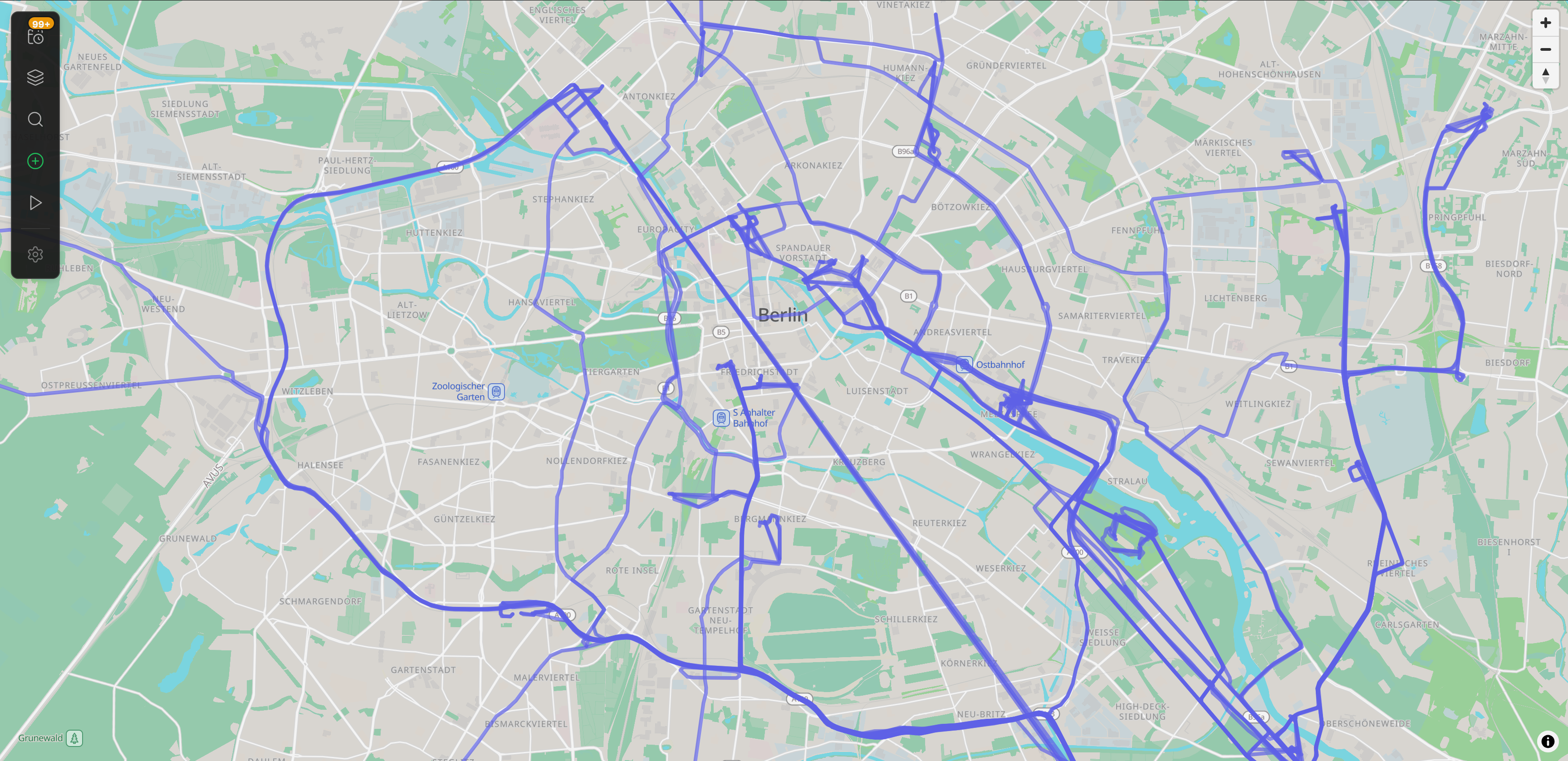
View your location history as a heatmap, point cloud, connected lines, fog-of-war overlay, or a 3D globe. Speed-colored routes and a minute-by-minute daily replay are available on Pro and self-hosted tiers.
Official iOS and Android apps record location on-device when there is no signal, such as on a plane or underground, and upload automatically once connectivity returns. OwnTracks, GPSLogger, Overland, PhoneTrack, and Home Assistant are also supported.
Select a date range and Dawarich constructs a trip with route, distance, and time spent. Connect Immich or PhotoPrism to pull geotagged photos directly into trip views.
Tracks countries and cities visited, total distance traveled, days per country, and monthly patterns. A public stats link lets you share your numbers. Useful for tax residency tracking or general curiosity.
Share real-time location with household members. Each member controls their own sharing toggle. The Family plan covers up to five people under one annual subscription.
Features
- Google Takeout import
- Interactive map with multiple layers
- Offline-capable mobile apps
- Trip builder with photo integration
- Travel statistics and insights
- Family location sharing
How to install
git clone https://github.com/Freika/dawarich docker compose -f docker/docker-compose.yml up
Recommended for this setup
Strengths
- True self-host option: The full application runs via Docker Compose. Self-hosted instances include every Pro feature at no cost, and your data never touches Dawarich's infrastructure. The project ships a complete Docker setup with documented environment variables.
- Open source with broad community review: The codebase has over 9,000 GitHub stars and an active Discord community. The open source nature means format importers are updated quickly when Google changes its export schema, and there is no hidden tracking in the application itself.
- Broad import compatibility: Accepts Google Takeout, OwnTracks, GPX, GeoJSON, Strava, Immich, PhotoPrism, and photo EXIF data. Tracking input works with eight different apps including Home Assistant, Overland, and PhoneTrack in addition to the official apps.
- No lock-in on any plan: Data exports to GPX and GeoJSON on every plan, including Lite. The 12-month viewing window on Lite does not limit what you can export; your full history is always available for download.
Trade-offs
- Active development with breaking changes: The project README explicitly warns against automatic updates and advises reading release notes before each upgrade. Breaking changes are expected as the project is under active development.
- Self-hosting requires Docker knowledge: Running your own instance means managing Docker Compose, handling updates manually, and maintaining backups. The project provides a backup and restore guide, but operational overhead is the user's responsibility.
- Visits feature is in beta: Automatic visit detection, which suggests places you have been to for confirmation, is marked as beta in the current release. Accuracy and behavior may change.
Tech stack
FAQ
Export your location history through Google Takeout, then upload the archive directly in Dawarich. The importer processes the file and places your historical points on the map. The project maintains its Google Takeout importer actively and updates it when Google changes the export format.
Yes. The official iOS and Android apps store location points on-device when there is no signal. Points upload to your Dawarich instance automatically once the device reconnects, so no data is lost during flights, underground travel, or time in areas without data coverage.
Self-hosting runs the application on your own server via Docker and includes all Pro features at no cost. Your data never reaches Dawarich's infrastructure. The cloud plans (Lite, Pro, Family) are managed by Dawarich, stored in European data centers with SSL/TLS and LUKS encryption, and come with a 7-day free trial.
Yes. Every plan, including Lite, lets you export your full location history to GPX or GeoJSON at any time. The export includes all historical data, not just the 12-month viewing window on the Lite plan.
Self-hosted instances are not affected by the company's status. Because the application is open source, your Docker instance continues running regardless. Data also exports to standard open formats (GPX, GeoJSON) that other tools can read.