
Conduit
Native mobile client for self-hosted AI
Replaces —
Who it's for
You run Open WebUI at home or on a VPS and want mobile access that handles your reverse proxy, keeps chats in sync, and feels like a first-class app rather than a pinned browser tab.
You are happy with the Open WebUI PWA and do not use a reverse proxy.
You run Ollama or an LM Studio server locally and want to reach it from your phone over Tailscale or a local network, with API keys stored securely and streaming that survives backgrounding.
You only access models on the same device and do not need a separate client.
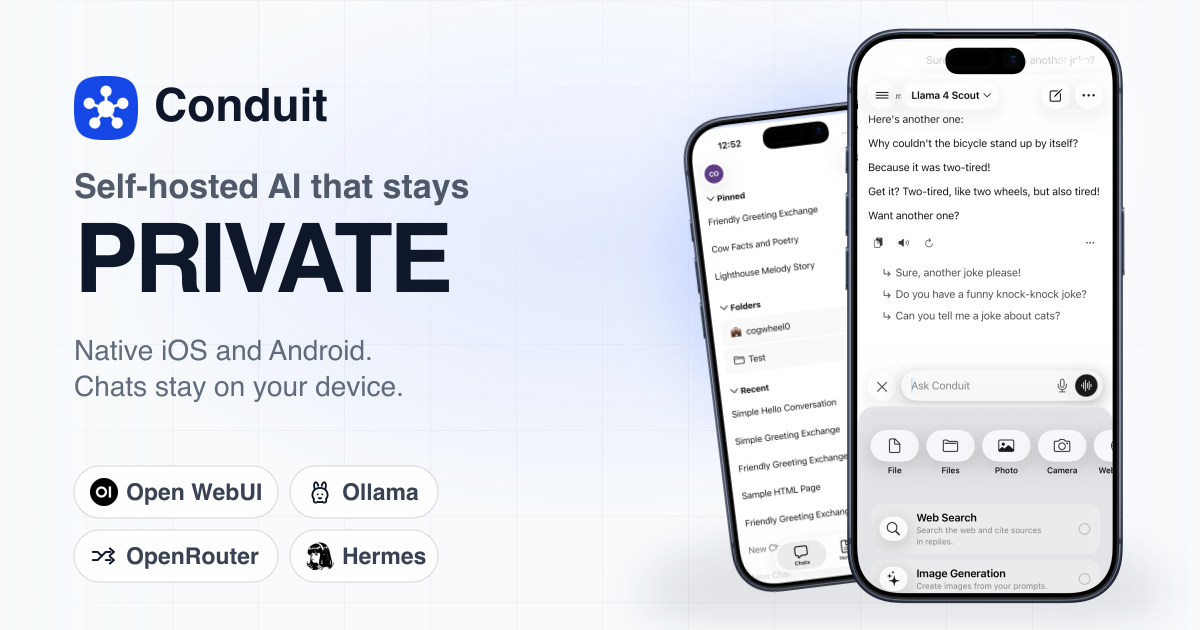
You want a mobile AI experience where chats never leave your device or pass through a third-party service, and where the app itself carries no analytics SDKs.
You are comfortable using the official ChatGPT or Claude apps and do not self-host.
You run a Hermes agent server and want to watch tool calls stream in real time, approve sensitive steps before they execute, and monitor scheduled jobs from your phone.
You do not run a Hermes server.
The problem
Open WebUI and similar self-hosted AI servers work well on the desktop but break down at the edges on mobile: authentication behind a reverse proxy fails, streaming drops when the app backgrounds, there is no native share sheet, and home screen access requires an awkward PWA shortcut. Conduit is built to close that gap with a real native app that handles every auth path, keeps streams alive, and integrates with platform features a web view cannot reach.
How it works
Connect to an Open WebUI server, any OpenAI-compatible or Ollama endpoint, OpenRouter, a Hermes self-hosted agent, or LibreChat (beta). Direct connections require no Open WebUI account, and you can add more backends after the initial setup.
Tokens arrive token-by-token over a WebSocket connection so replies start immediately. The transcript holds its position as a response grows, and long sessions stay connected without stalling the UI.
Supports username and password, LDAP, JWT, custom headers, SSO, OAuth, and reverse-proxy cookie flows including oauth2-proxy, Authelia, Authentik, Pangolin, and Cloudflare Tunnel. Credentials are stored in iOS Keychain or Android Keystore, never in plain-text local storage.
Home screen widgets and quick actions for chat, mic, and camera; a share sheet that sends text, links, and images straight into a prompt; voice call mode with live call controls; and adaptive Material or Cupertino UI depending on the platform.
Chats, notes, and drafts are kept on the device. Notes and drafts stay available without a network connection, and signing out lets you choose what data remains.
Syntax-highlighted code blocks, Mermaid diagrams, LaTeX and math, expandable reasoning and tool-call sections, inline citations, source cards, and Chart.js embeds are all rendered natively without a web view.
Features
- Multiple backend types
- WebSocket streaming
- Reverse proxy and auth support
- Platform-native mobile features
- Local-first storage
- Rich content rendering
How to install
git clone --recursive https://github.com/cogwheel0/conduit.git cd conduit flutter pub get dart run build_runner build flutter run -d android # or: flutter run -d ios
Recommended for this setup
Strengths
- Handles real deployment auth: Most mobile clients assume a plain login form. Conduit covers every auth path Open WebUI exposes plus reverse-proxy flows like Authelia and Cloudflare Tunnel, capturing the right cookies and session state on-device.
- No developer-operated chat backend: Traffic goes from your device directly to the server or provider you configured. The only developer-operated service is an optional push notification relay that is open-source and cannot read the encrypted payloads.
- GPL-3.0 and no analytics SDKs: The source is public on GitHub under GPL-3.0. The app contains no third-party analytics or advertising SDKs, and diagnostic logging is local and transient.
- Works without an Open WebUI server: As of version 4.0, Conduit connects directly to OpenAI-compatible endpoints, Ollama, and OpenRouter without any Open WebUI deployment. Direct connections can store chat history on-device instead.
Trade-offs
- Server-dependent features require a matching deployment: Channels, notes, web search, image generation, and the terminal appear only when your server exposes them. Connecting to a minimal or stripped-down backend means those screens simply do not appear.
- Hermes requires running your own agent server: The Hermes backend is a self-hosted agent you operate separately. Conduit only exposes the capabilities your Hermes server actually reports, so the experience depends entirely on your own setup.
- LibreChat support is beta: LibreChat integration is marked beta and requires LibreChat v0.8.8 or newer. Google sign-in is not supported inside apps, and the Assistants API endpoints are not exposed.
- Apple On-Device limited to eligible hardware: The Apple On-Device provider requires iOS 26 and Apple Intelligence availability, with a 4K context window and no image input, reasoning controls, or tool calling.
Tech stack
FAQ
No. Conduit also connects directly to OpenAI-compatible APIs, Ollama, OpenRouter, LibreChat, and a Hermes agent. You pick a backend on first launch and can add more later.
Chats, notes, and drafts stay on your device. Credentials are stored in iOS Keychain or Android Keystore via Flutter Secure Storage, never in plain-text local storage. Nothing is relayed through a developer-operated backend.
Username and password, LDAP, JWT, custom headers, SSO and OAuth providers, and reverse-proxy login flows including oauth2-proxy, Authelia, Authentik, Pangolin, and Cloudflare Tunnel.
Android 7.0 and later (API level 24) and iOS 16.0 and later. The app is built with Flutter on a Dart 3.9+ toolchain.
Yes. Conduit is released under GPL-3.0 and developed in the open on GitHub. There are no paid tiers or premium gates.