
Claudoscope
Free macOS app for browsing and managing Claude Code sessions
Replaces —
Who it's for
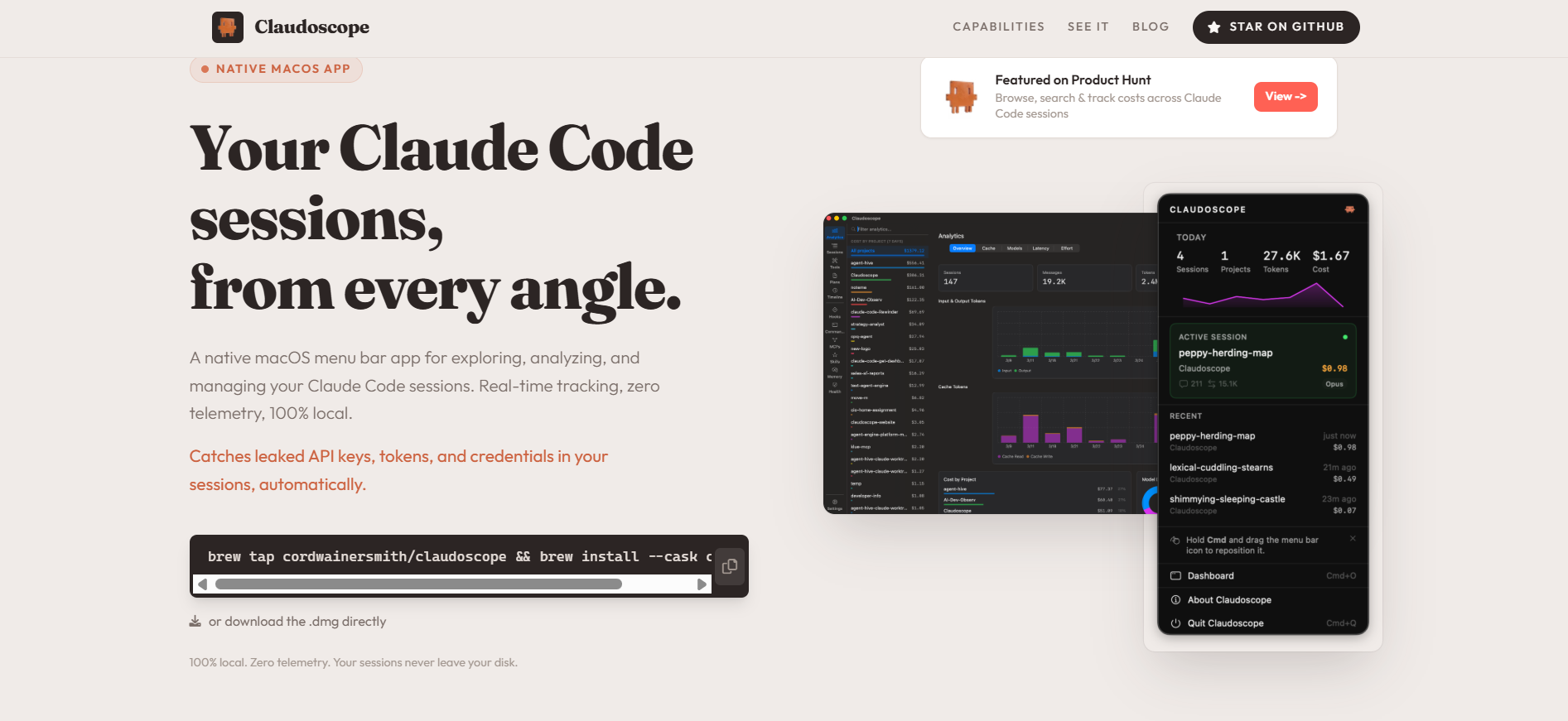
Claudoscope fits developers who run Claude Code heavily and want session history, analytics, and project insights from the menu bar.
You do not use Claude Code or you work primarily on Windows or Linux.
The secrets-detection positioning helps teams inspect agent sessions for sensitive data exposure during coding work.
You need centralized enterprise audit retention across many operating systems.
The problem
AI coding sessions create useful history, but that history is hard to inspect once the terminal moves on. Developers need to understand what happened, which projects consumed time, whether secrets appeared, and how agent work evolved across sessions. Without a local dashboard, teams rely on memory, scattered logs, or vendor UI surfaces that may not match their workflow. A native session viewer makes agent usage easier to audit and learn from.
How it works
Claudoscope focuses on Claude Code and Cowork sessions, giving users a purpose-built view of coding-agent activity rather than a generic log browser.
The README describes Claudoscope as native macOS and shows macOS 14.0+ support, making it a desktop companion for Mac-based agent users.
Repository metadata mentions security hardening and realtime secrets detection, which helps developers audit sensitive agent interactions.
Features
- Claude Code session dashboard
- Native macOS menu bar app
- Security and secrets analysis
How to install
Requires macOS 14.0 or later, an Apple Silicon Mac, and Claude Code used at least once so `~/.claude/projects/` exists. Install with Homebrew:
brew tap cordwainersmith/claudoscope
brew install --cask claudoscope
Update later with:
brew upgrade --cask claudoscopeManual install is also available from the GitHub Releases page by downloading the latest DMG and moving Claudoscope to Applications.
Recommended for this setup
Strengths
- Built for real agent session review: Claudoscope is strongest for developers who want to review agent history, analytics, and project context after sessions finish.
- Local desktop workflow: A native macOS app fits users who want Claude Code visibility without pushing session analysis into another hosted dashboard.
Trade-offs
- Mac-only product fit: The source evidence positions Claudoscope for macOS 14.0+. Windows and Linux users need a different session-review workflow.
Tech stack
FAQ
Claudoscope analyzes Claude Code and Cowork sessions, including history, analytics, project insight, and security-oriented checks.
The README positions Claudoscope as a native macOS app and shows macOS 14.0+ support.
The README badge shows a Homebrew cask install path for Claudoscope.